The Default Icon of Blogger is rather Boring and is same for all. So, most of us likes to change it..to make a difference in the website! You Can Change the Favicon/Icon of Blogger (the B in the addressbar) Just follow the Steps below & you'll get away with a new look for your blog! ;) This Method is rather Easy than Anyother!
Steps:
Go to your Blogger Dashboard --> Layout --> Edit HTML !
Now Post the following Code Under <head> & Just After <data:blog.pageTitle/>
<href='/favicon.ico' rel='icon' type='image/x-icon'/>
<link href='Your Faviconlink or Image Link' rel='shortcut icon' type='image/x-icon'/> 
Well, Most of the People Knows How to make a Blog !
But still, I've always Wondered about How people Makes these things long before when i started blogging!!
And I haven't seen anyone Posting "How to make a Blog" , So I am just Posting ..
Making a Blog is as simple as taking a Chocolate from a Kid =P
Let me Explain!
Firstly You'll need an Account In Gmail Or Yahoo Or Somewhere..
Best is Gmail =P (Just Sign In)
Steps:
- Go to. Blogger.com
- Then Click "Create a Blog" & Sign Up!
- After that fill up the Stuffs, then Click On Continue
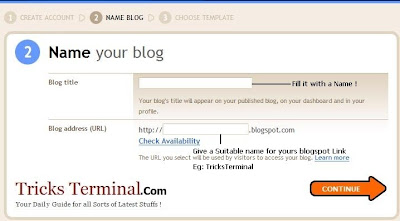
- Then Select a Template, their will be Some Default One's ..Select Any, You Can Change it later!
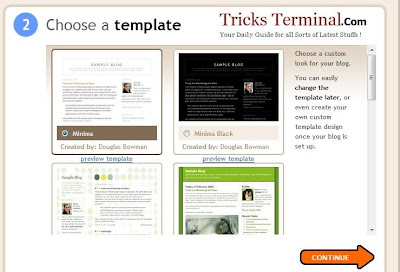
- Click Continue!
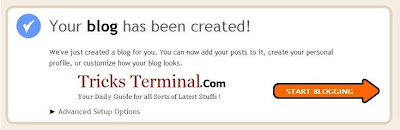
- Your blog has been created!
Now you can Start posting to your blog . To post your first blog, click, "Start posting."
Or Click New Post!
Also Read How to Change the Favicon/Icon in blogger!
Do make a Comment if this is helpfull!

FeedBurner FeedCount